

Kathmandu — Digital payments, mobile banking and e-commerce transactions rise sharply in Nepal during the festive season. Cybercriminals know this too, and they use the surge to run phishing campaigns, payment scams, ransomware and Distributed Denial-of-Service (DDoS) attacks against banks, payment providers and everyday users.
To address these risks, the Information Security Response Team Nepal (npCERT) has issued Cybersecurity Advisory 2026 (Ref: npCERT/2025-26/IS/006), urging financial institutions, payment gateways and consumers to stay alert throughout Tihar and the wider festive season. This article summarises the advisory's key recommendations.
The advisory asks all Banks and Financial Institutions (BFIs), Payment System Operators (PSOs), Payment Service Providers (PSPs) and Application Service Providers to put the following controls in place:
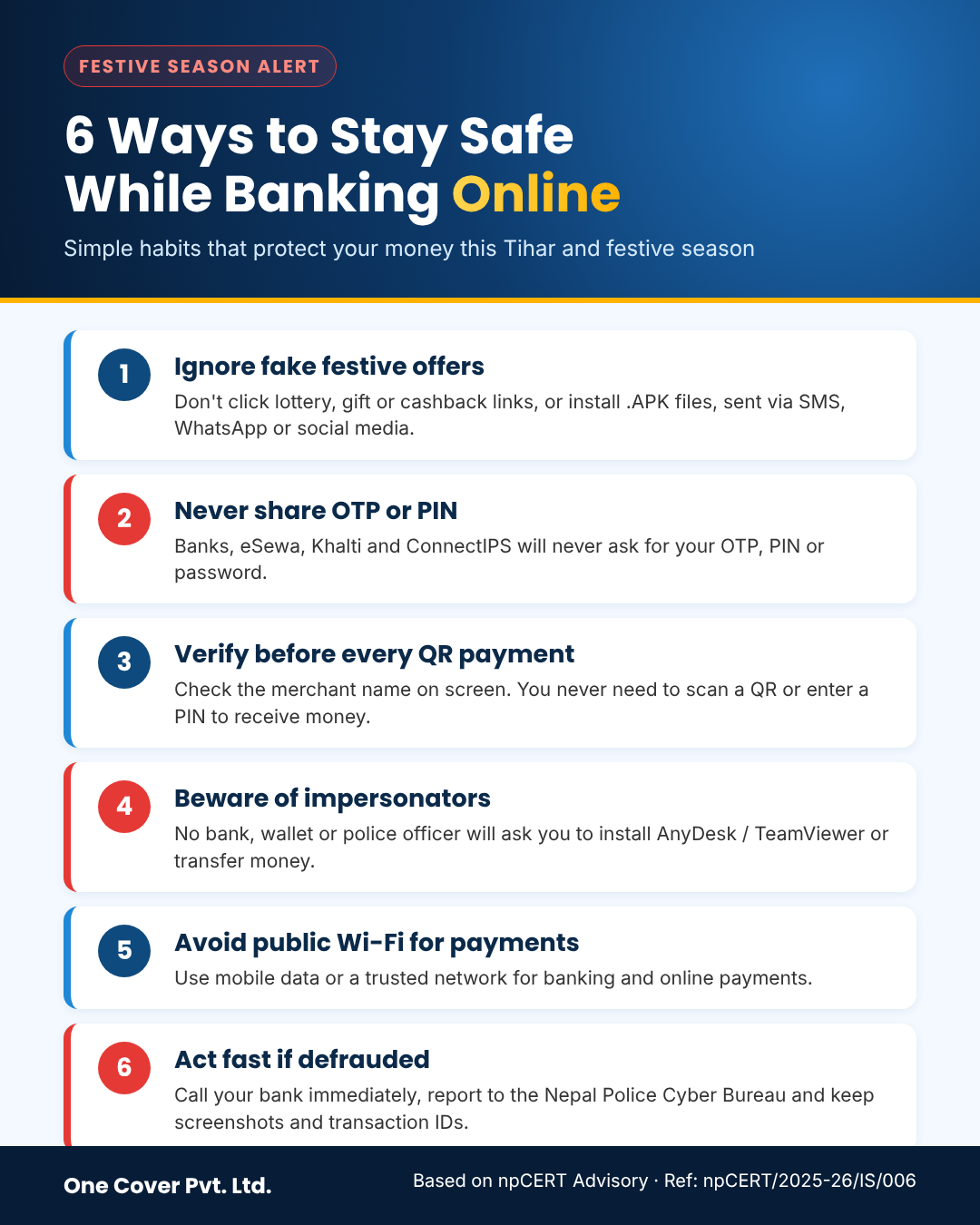
Do not click suspicious links received via SMS, email, WhatsApp, Viber or social media that promise lottery wins, free festive gifts or unrealistic cashback. Never install .APK files sent through messages; download apps only from the official Play Store or App Store.
Legitimate banks and wallet providers such as eSewa, Khalti and ConnectIPS will never ask for your One-Time Password (OTP), PIN or login credentials over a phone call, SMS or social media.
Before completing a QR payment, check that the merchant name shown on your screen matches the business you are paying. Remember: you never need to scan a QR code or enter your PIN to receive money. Merchants should confirm payments in their own merchant app, not from a customer's screenshot.
Fraudsters often pretend to be bank staff, wallet support, telecom operators or even police officers. npCERT, Nepal Police, banks and wallet providers will never ask you to install remote-access apps such as AnyDesk or TeamViewer, or to transfer money to "secure" your account. If a family member urgently asks for money, call them back on the number you already have saved to confirm.
Do not log in to mobile banking or make online payments over open Wi-Fi networks in cafés, parks or transport hubs. Use mobile data or a trusted network instead.
If you notice suspicious activity, receive a phishing link or fall victim to online fraud, act immediately:
Festivals are a time for family and celebration, so don't let fraudsters take advantage of the busy season. Share these tips with your family members, especially elderly relatives, who are often targeted by scammers.
At One Cover Pvt. Ltd., we help organisations across Nepal strengthen their security through Vulnerability Assessment and Penetration Testing (VAPT), security audits and awareness training. To assess your organisation's readiness, contact us at info@onecovernepal.com.
— One Cover Team